



In this article
A Q4 Instagram Reels content calendar for brand teams is a three-month map of jobs, not a dump of every holiday hashtag. October plants discovery and gift consideration. November proves offers and social proof. December closes with cutoffs, gratitude, and a seed for January.
Use this page to decide what kind of Reels belong in each month. Keep your weekly Reels workflow for brand teams for the decide, generate, and pick loop that runs every week. The calendar is the map. The weekly loop is how you drive.
What does each month actually ask for?
| Month | Primary job | Reels to prioritize | Avoid |
|---|---|---|---|
| October | Plant | Gift guides, Halloween on-brand, product proof, BTS prep | Only deal creatives with no proof |
| November | Prove | Offer explainers, proof, urgency with real stock, BFCM variants | Five near-identical discount cards |
| December | Close | Shipping cutoffs, last-minute gifts, gratitude, year note, January tease | Fake scarcity; ignoring support questions |
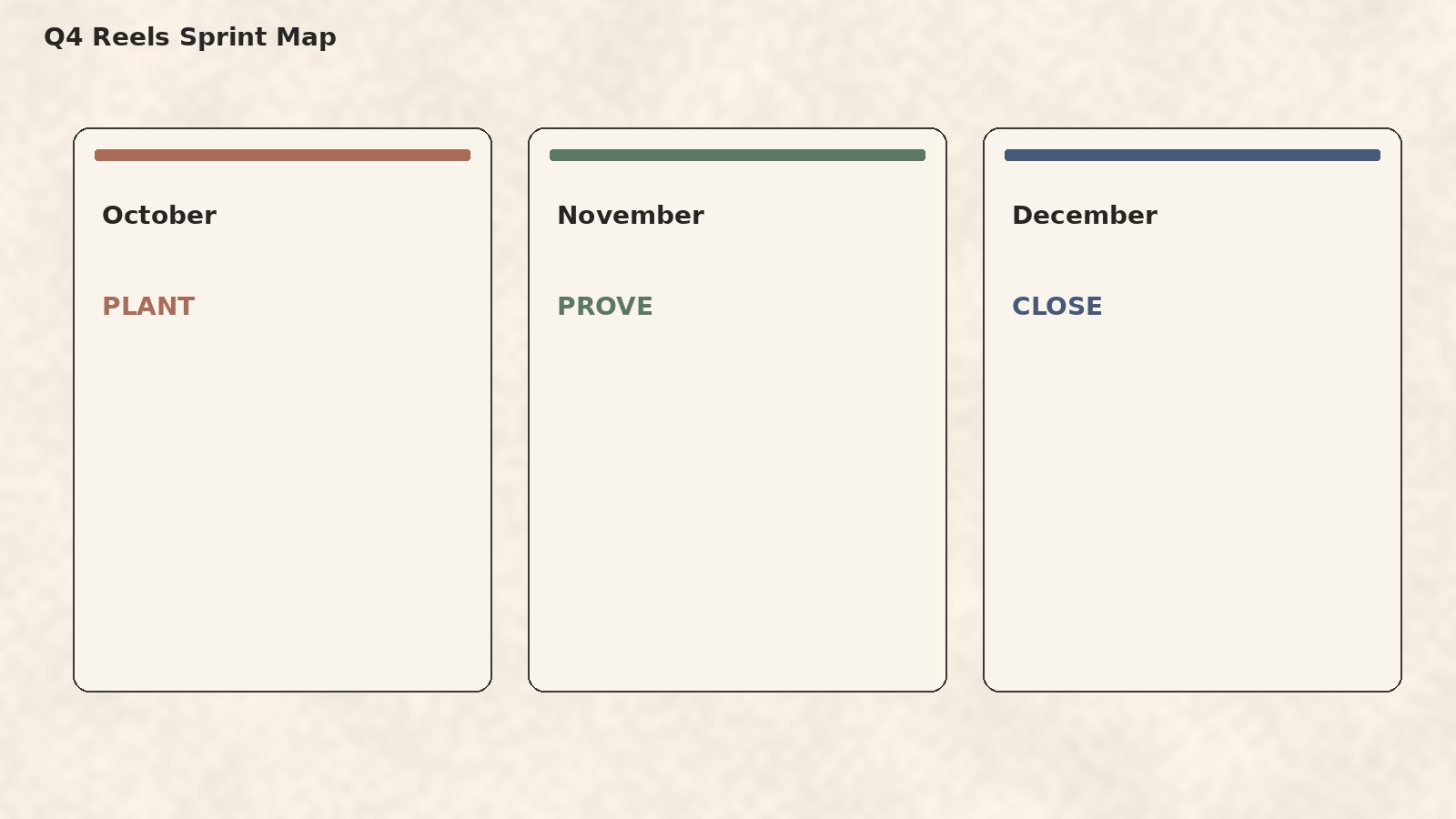
October: how do you plant without only posting costumes?
Film gift-guide and seasonal formats while attention is rising. Point your team to holiday gift guide Reels for brands and Halloween Instagram Reels ideas for brands. Keep evergreen product proof from Instagram Reels ideas for ecommerce brands in the mix so the grid is not only costumes.
Beauty. First three seconds: a clean before, then a soft seasonal look built with your products. On-screen: “October look, same routine.” Caption angle: shade list and a save prompt.
F&B. First three seconds: a plated host tip mid-garnish. On-screen: “Host tip under 20 seconds.” Caption angle: full recipe note so the Reel can stay short.
D2C. First three seconds: hero SKU unboxed, gift-guide line already on screen. On-screen: “For the new apartment · under $60.” Caption angle: tag-the-person ask.
Services. First three seconds: real workspace detail, then a myth card. On-screen: “Myth we still hear in Q4.” Caption angle: soft book CTA.
SaaS. First three seconds: sticky note on a laptop naming a Friday pain. On-screen: “Ops horror, 15 seconds.” Caption angle: what changes in week one of the product.
Agencies. First three seconds: client calendar color blocks, then a light costume while shipping work. On-screen: “Client Q4 board.” Caption angle: how you protect brand fit across accounts.
Batch more cuts than you will post. October is the month with bandwidth to bank November creative.
November: how do you prove offers without fatigue?
Rotate offer explainer, objection handler, proof, and urgency. For BFCM structures, use Black Friday and holiday Reels ideas for ecommerce. Do not post five clones of the same discount card. Kill weak cuts inside the weekly workflow.
A healthy November week might look like: one offer explainer, one proof Reel (testimonial or packing), and one urgency Reel with a date you can keep. If stock is wrong, skip urgency. Trust is the asset you are protecting for December.
December: how do you close and still seed January?
Lead with deadlines you can keep. Put the date on screen only after ops confirmed the date in writing. If the date moves, update the Reel or pull it rather than leaving a broken promise in the grid. Add gratitude and one sincere year note. Seed a January waitlist, reset offer, or planning Reel so December is not a cliff. Services and SaaS can book January slots here without a product shoot (Instagram Reels for service businesses, Instagram Reels for SaaS brands).
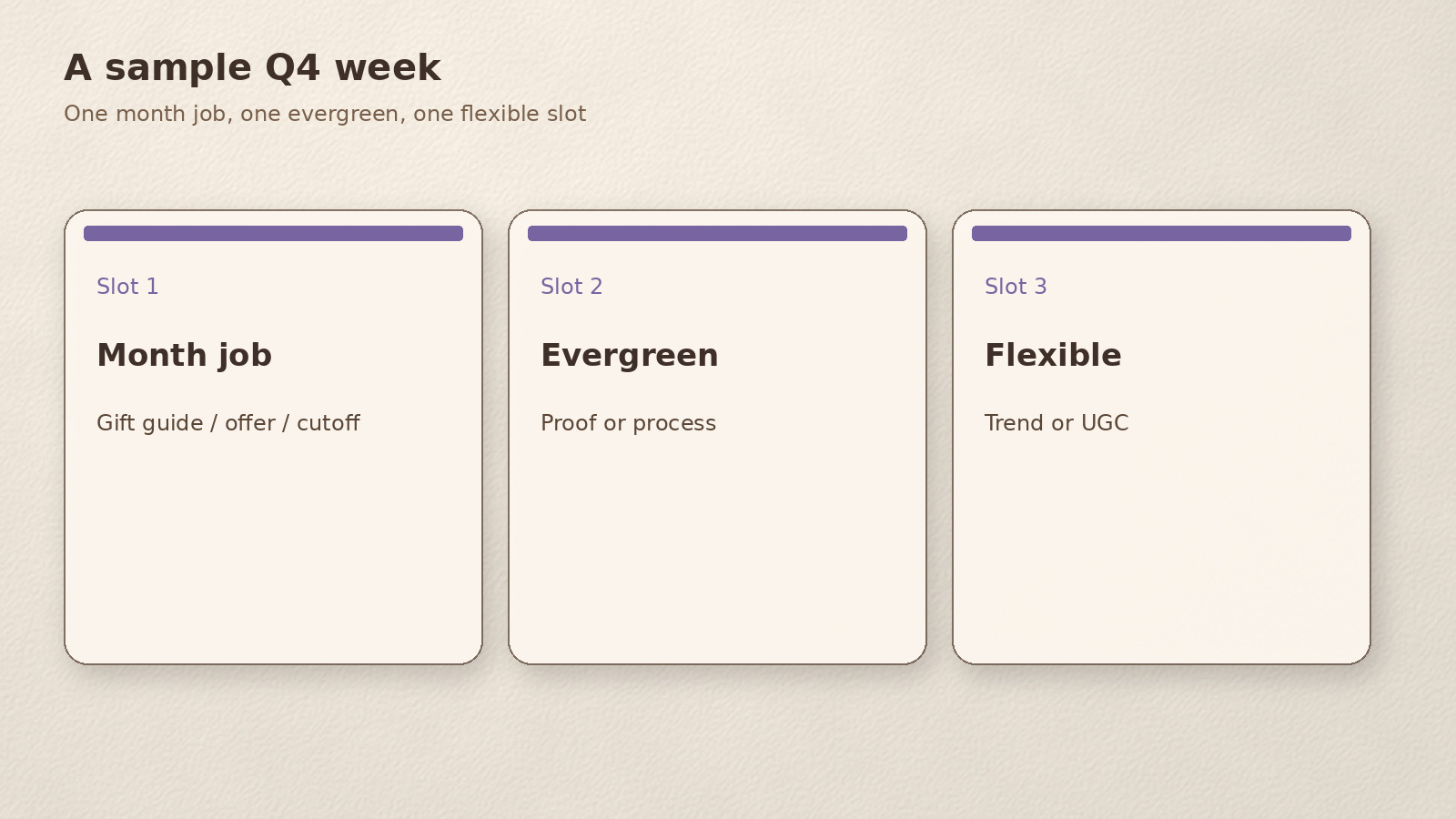
What does a sample week look like on the phone?
Picture Monday morning. You open the board and see three slots, not a brainstorm dump.
Slot one is the month job: in October that might be a gift-guide Reel; in November an offer explainer; in December a cutoff with a real date. Slot two is evergreen proof: packing, process, or a short FAQ. Slot three is flexible: a trend remap that passed your checks, or a reactive UGC repost.
You film slot one and two on the same table setup so lighting matches. You write on-screen lines before you hit record. You leave slot three empty until Thursday so you are not forcing a trend that does not fit. That rhythm is what makes the calendar readable on a phone between meetings.
Common Q4 traps (and a calmer fix)
Costume-only October. Fix: one seasonal Reel max per week, plus evergreen product or service proof.
Discount clones in November. Fix: rotate explainer, proof, urgency; kill near-duplicates on Friday.
Fake scarcity in December. Fix: only publish dates ops confirmed; otherwise lean gratitude and January seed.
No owner on the board. Fix: every slot gets a name and an asset folder before the week starts.
How does this calendar relate to the weekly loop?
The month map answers what kind of Reel belongs now. The weekly loop answers which three hypotheses you test, how many cuts you generate, and what you kill on Friday. Do not turn this page into a second weekly SOP. Keep owners, batch sizes, and kill rules in the weekly workflow post. Keep month jobs here.
A healthy Q4 week might look like: one plant or proof Reel from the month column, one evergreen product or service Reel, and one flexible slot. That mix prevents the grid from becoming only costumes in October or only discounts in November. Behind-the-scenes trust clips from behind the scenes Instagram Reels for brands fit well in the evergreen slot all quarter.
Worked example: a mid-size F&B brand, start to finish
A regional sauce brand has one social lead and a founder who can film on Fridays. In the first week of October they draw three columns on a whiteboard: plant, prove, close.
They slot October weeks with two gift-guide Reels (host under
Every Friday they kill anything that fails mute-first preview. Captions and covers stay on Brand DNA from their brand palette and type from the website. By Cyber week they are choosing winners, not inventing new ideas under pressure.
When you brief freelancers or an agency, send the month job in one sentence plus the first-three-seconds note. “November prove: offer explainer; open on the bundle in frame; on-screen ‘What’s in the set’; caption lists SKUs.” That brief is enough for someone else to film without inventing a new strategy mid-shoot.
Keep a shared folder per month with raw clips labeled by job (plant, prove, close). When someone is out sick in November, the board and the folder together are enough for a teammate to publish without a strategy meeting.
DIY checklist: build the Q4 board this week
- Create three columns: October plant, November prove, December close.
- Slot three Reel jobs per week inside each column (not fifteen random ideas).
- Assign assets and owners per slot.
- Batch-film October and the first half of November before the rush.
- Leave two flexible slots per week for reactive trends (remap with care: remake trending Reels on-brand).
- Tie captions and covers to Brand DNA.
- Review saves, shares, and sessions weekly; promote winners.
- After Cyber week, protect two strong Reels rather than empty daily filler.
Need idea fuel when a slot is blank? Use Instagram Reels ideas for brands (blank calendar).
Q4 is a sprint map. The weekly loop is how you run each week.
Make the sprint faster with beREEL
beREEL starts from your website. Paste it in and it builds Brand DNA (audience, offer type, personas, benefits, tone), then filters a TikTok-style feed of 600+ templates to those buyers. You remix proven formats onto your products or services, make photo and video Reels from assets you already have, and schedule to TikTok, Instagram, YouTube Shorts, Facebook, and Snapchat with performance learning for best hour.
Creating a free account takes about a minute, and you start with 170 free credits, no card needed: www.bereel.pro.
Three months, three jobs
Plant in October, prove in November, close in December. Keep the weekly loop for decisions and kills. That is a Q4 Instagram Reels content calendar brand teams can actually finish.