



In this article
To localize Instagram Reels for new markets, dub one approved cut: keep the picture that already worked, swap the spoken track (and matching on-screen text) into the target language, then ship a market-native post. That method is One-Cut Market Dub. Captions-only is a lighter first test when music carries the cut. A reshoot is for offers, humor, or visuals that will not travel.
Brand teams lose weeks when every market becomes a new shoot. Most localization advice either explains Meta's AI features or covers video localization in general. Brand teams need to know when captions are enough, when to dub the same cut, when to reshoot, how Meta's free in-app translation differs from a file you own, and how to pack a native post per market. Start with the decision table and the DIY checklist below.
Captions vs dub vs reshoot
Pick per Reel, not once for the brand.
| Situation | Captions-only | Dub same cut | Market-native reshoot |
|---|---|---|---|
| B-roll + music, little or no on-camera speech | First test: translate overlays + post copy | Optional if you want a local VO bed | Rarely needed |
| Talking-head trust, founder or customer on camera | Weak: mute readers get text, sound-on locals hear the wrong language | Default: new voice on the same picture; lip-sync when face-to-camera matters | Only if face, set, or wardrobe will not read in that market |
| Price, currency, units, or claim spoken on camera | Risky if spoken numbers stay in the home language | Dub + rewrite on-screen numbers to local units | If the offer itself changes (SKU, promo, legal) |
| Humor, idiom, or cultural punchline | Often fails; text translation alone feels flat | Try a meaning rewrite on the same cut | Reshoot when the joke needs new visuals |
| Offer-heavy end card with local CTA / landing | Update burned-in text + caption field | Dub the spoken CTA to match | Reshoot if the product demo on camera is market-specific |
Rule of thumb: same picture, new voice when speech carries trust. Captions-only when the music bed is the star. Reshoot when the offer or cultural frame will not travel on this footage.
One-Cut Market Dub
One-Cut Market Dub is five moves on a Reel that already earned saves, watch-through, or conversion signal in the home market:
- Pick the winner (not a vanity-views cut).
- Choose one market from existing demand signal (followers, site traffic, orders, support language), not from a GDP wishlist.
- Dub the same cut (speech track; keep music if it is not language-locked).
- Rebuild brand captions and overlays so mute viewers still follow, with currency and CTA localized.
- Ship a market-native post (separate publish, not one global Reel hoping Meta translates everyone).
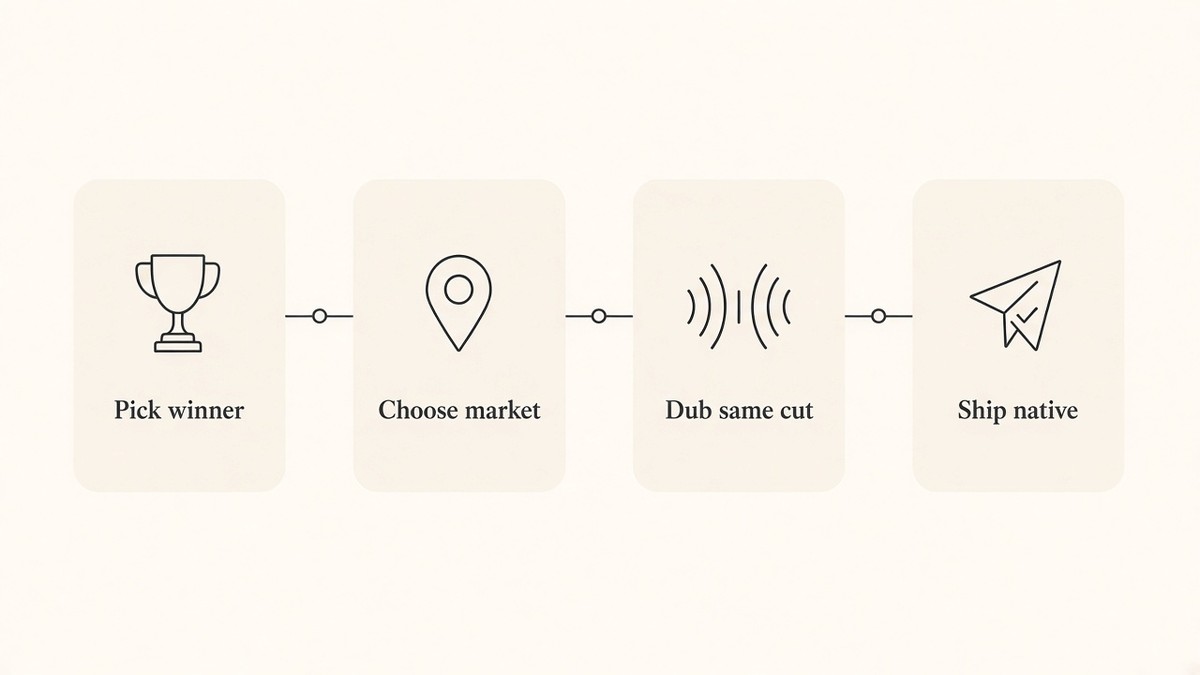
That is the spine. The sections below unpack market pick, the post pack, Meta versus owned files, master prep, locale QA, and a DIY path you can run without any product.
Which winners and which markets first
Localize proof, not volume. Pull one Reel that already worked at home on saves, shares, profile visits, or conversion-adjacent signal. Skip cuts that only racked empty plays.
Choose the first market where you already have signal: language in comments or DMs, shipping or billing geography, site locale traffic, or support tickets. One language at a time. Accent splits inside a language (for example regional Spanish) wait until the first dubbed cut clears watch-through in that locale.
If your Monday themes and Friday kill list are already running, fold localization into that cadence with the weekly Reels workflow for brand teams. Do not invent a parallel calendar for every language on day one.
What a same-cut localization pack includes
The voice track is necessary. It is not the whole pack. Ship each market with:
- Translated hook timing. Longer languages need earlier or shorter on-screen lines so the first second still reads.
- On-screen text and end cards. Currency, units, sizes, and CTAs rewritten for the locale, not left in home-market form.
- Burned-in captions that match the dubbed speech (mute-readable, brand type).
- Post copy and hashtags in the market language.
- Landing language that matches the CTA (do not send a FR Reel to an EN checkout unless that is intentional).
- Optional lip-sync when face-to-camera trust is the point of the cut.
You are packaging a native Reel post for that market, not bolting subtitles onto a home-market export and calling it done.
Meta in-app translation vs an owned dubbing workflow
Meta's free Reels AI translation and dubbing can help viewers inside Instagram when the feature is available for that language and region. Treat it as one lever, not the plan.
Owned same-cut dubbing still wins when you need:
- Languages or regions Meta does not cover for your account.
- Control of overlays, end cards, and post copy (Meta's audio pass does not rewrite your burned-in text or caption field).
- Market-native files you can also ship to TikTok, Shorts, paid, or owned channels.
- Labeling and brand voice you preview and approve before publish, including claim-safe wording per locale.
Use Meta when it is on and free for a quick reach test. Export and dub the master yourself when the market matters enough to own the file.
Prep one master so the picture stays fixed
Before you dub Instagram Reels for new languages, lock a master that swaps audio and text cleanly:
- Prefer clean dialogue with one main speaker and minimal overlapping noise.
- Keep overlays editable (or rebuildable) rather than burned into a flattened export you cannot touch.
- Hold a glossary for product names, taglines, and words you never paraphrase wrongly.
- Leave safe space for longer translated lines so type does not crash into UI chrome.
- Separate speech from the music bed so you only replace what needs a new language.
If Brand DNA (tone, audience, offer wording) is still scattered across decks, lock brand DNA from your website once so every market remix keeps the same voice rules.
Locale QA that stays in the dubbing lane
QA here protects the dubbed cut.
Check:
- Accent and pacing feel local enough for trust, not cartoonish.
- Numbers, currency, and units match what the market expects.
- Spoken line and burned-in captions agree (no home-language leftovers).
- Idioms rewritten for meaning, not word-for-word slogans.
- Claims stay compliant in the target locale (health, finance, guarantees, pricing). Do not invent stronger promises in translation.
- Phone preview of the localized file before publish.
For the full frame-0, safe-zone, and mute-first caption checklist, use Reels first frame and mute-first captions.
DIY checklist: localize one Reel by hand
No product required. CapCut, Descript, a voice vendor, or any editor works.
- Pull one Reel that already worked in the home market (saves/shares or conversion signal, not vanity likes alone).
- Write the job for the new market in one sentence (same offer? local proof? local currency?).
- Confirm on-camera speech vs music bed. Only speech tracks need dubbing.
- Translate meaning, not word-for-word slogans. Keep brand tone; rewrite idioms.
- Rebuild overlays, end card, post copy, and hashtags for that locale.
- Check lips/timing and mute-readable captions on a phone. Fix mismatches.
- Ship to one channel first. Judge watch-through and saves in that locale before cloning to more markets.
When those seven steps are done, you have localized one Instagram Reel cut for a new market without a reshoot.
When you want the same approved cut dubbed inside one tool instead of stitching apps together, beREEL supports video dubbing for new markets on the same cut. Paste your website to build Brand DNA (audience, offer type, personas, benefits, tone) so the tone stays consistent when you remix per market. Keep captions in the safe area with your brand type and use the editor for pace, crop, and cut. Creating a free account takes about a minute, and you start with 170 free credits, no card needed: www.bereel.pro.
Publish and measure without mixing languages
Post market-native. Prefer a separate Reel (and, when volume justifies it, a language-specific account) over one global upload that mixes languages in Insights.
Measure watch-through, saves, and CTR-style clicks by locale. Scale the next language only after the first dubbed cut clears that market's bar. Do not average all languages into one "it worked globally" bucket.
What this playbook is not
Not a captions QA page. Frame-0 hooks, safe zones, and the mute ship gate live on the first-frame checklist linked above.
Not an agency multi-client workflow. This is one brand taking one cut into new markets. Client batching, multi-account approvals, and capacity boards are a different job.
Not a culture essay for every short-form platform. Cultural hooks sit inside the same-cut pack (idiom rewrite, local CTA). They are not a TikTok-versus-Reels physics lecture.
Not invented proof. No fabricated localization case studies, reach multiples, or language counts beyond what you verify on your own cuts and on live product pages.
The picture that already won is the asset. The new market needs a new voice and a native post, not a new shoot by default.
How to start today
Open the decide table on one winning Reel. Choose captions-only, dub, or reshoot. If dub wins, run the seven-step DIY on a single market, ship natively, and read watch-through there before you clone the next language. That is One-Cut Market Dub in practice.