



In this article
You already have happy customers and good reviews. These six testimonial Reel formats turn that proof into Reels that feel real: a review screenshot, a DM or voice note, a before and after in the customer's words, a customer-filmed clip, a quote over product B-roll, and a staff member reading a review. Each comes with a short shot list, plus how to collect proof with permission, add motion to a static review, keep your brand voice, and run a quick honesty check.
Most testimonial Reels fail for one reason. They polish the customer's words until they sound like an ad. Real proof beats a cheesy ad because people trust a customer's plain sentence more than your perfect script. Need to answer disbelief instead? Use turn customer objections into Reels.
How to turn customer reviews into Instagram Reels
Start with the proof you already have, then pick one format that matches it. A five-star screenshot wants a different Reel than a phone video the customer filmed in their kitchen. The formats below share the same structure: a mute-first hook, the customer's words on screen, a real product or face in frame, and one soft CTA.
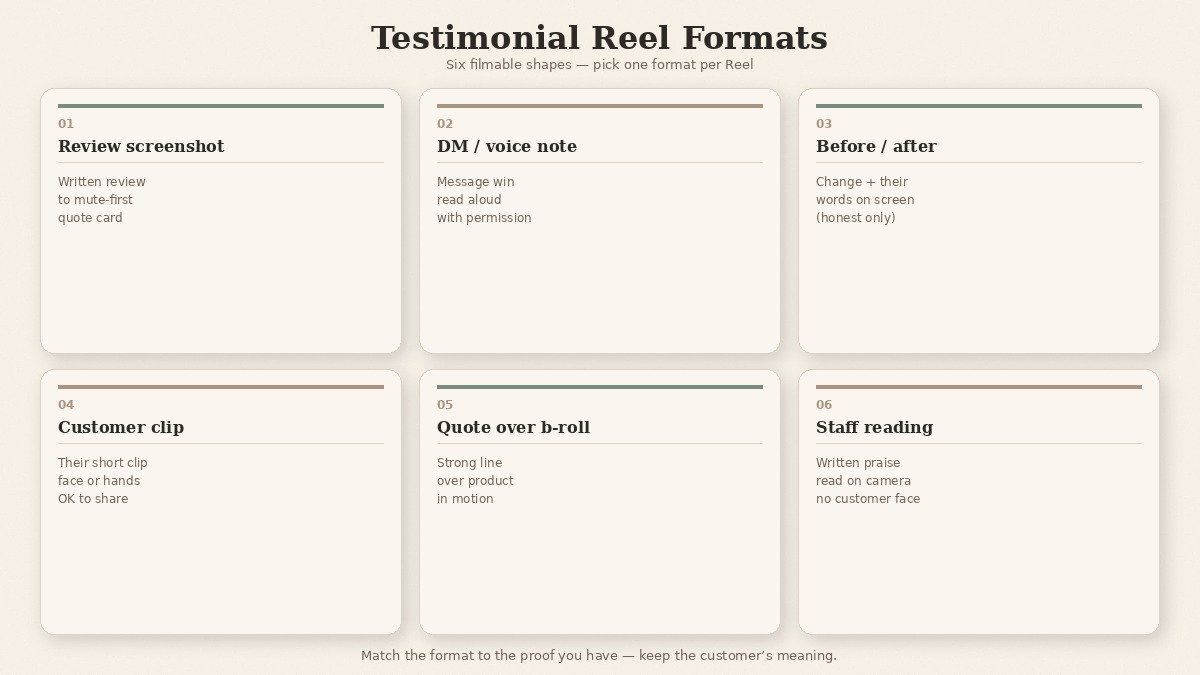
| Format | Best when you have | Mute-first hook |
|---|---|---|
| Review screenshot to Reel | A written review or star card you can show | The quote card fills frame one |
| DM or voice note read aloud | A short DM or voice note with a clear win | First line of the message on screen |
| Before/after with the customer's words | A change the customer described in their own words | Before state, then their line |
| Customer-filmed clip | A short clip they sent (with OK to share) | Their face or hands in second one |
| Quote over product b-roll | A strong line, no usable face video | Product in motion under the quote |
| Staff member reading a review | Written praise, no customer on camera | Staff face + first words of the review |
Pick one format per Reel. Do not stack all six into a fifteen-second montage. Below, each format gets a shot list you can film on a phone.
1. Review screenshot to Reel
Use this when the written review is the proof. Keep the customer's wording. Crop out private details you should not show.
Shot list
- Frame one: the review screenshot or quote card, large enough to read muted.
- A slow push-in or gentle pan across the key sentence.
- Cut to the product doing the job the review names, in a real setting.
- Optional: hands unpacking, using, or holding the product for two to three seconds.
- End card: one soft CTA (shop the link, save for later, or reply with your use case).
A customer might say something like "this finally fit my morning routine." Put that line on screen. Do not rewrite it into marketing English.
2. DM or voice note read aloud
Use this when the warmest proof arrived in a private message. Get the customer's OK before you show their words or play their voice.
Shot list
- Frame one: the first line of the DM as on-screen text (blur the handle if needed).
- A team member reading the note aloud, or the customer's voice note under simple product b-roll.
- Cut to the product or result the message mentions.
- A second text card with the clearest benefit line from the message.
- Soft CTA: "reply with your question" or "see how it works."
Keep the read natural. If you tidy grammar, keep the meaning intact. Never invent a DM for the camera.
3. Before/after with the customer's words
Use this when the customer described a change you can show honestly. Their words carry the Reel. Your footage only illustrates what they said.
Shot list
- Frame one: the "before" state in plain light (the mess, the old workaround, the empty shelf).
- On-screen text in the customer's words for the problem.
- The "after" state with the product in use.
- Their outcome line on screen (illustrative example: a customer might say "I stopped reordering the old one").
- Soft CTA: "compare both on our site" or "ask us if this fits you."
Only film a before/after you can stand behind. If the change is not visible on camera, pick quote-over-b-roll or the screenshot format instead.
4. Customer-filmed clip
Use this when a customer already sent a short clip. Permission comes first. Then edit lightly so it still sounds like them.
Shot list
- Frame one: their face, hands, or product-in-use from their clip (no long logo intro).
- Three to five seconds of their strongest moment, with captions in the safe area.
- A cutaway you filmed: product detail, packaging, or the setting that matches their story.
- Their punch line repeated as large on-screen text.
- Soft CTA: thank them on screen if they are comfortable being named, then one next step for viewers.
Do not over-grade their footage into a commercial look. Slightly imperfect phone video is part of why it feels real.
5. Quote over product b-roll
Use this when you have a strong line and good product footage, but no customer on camera. The quote does the talking. The b-roll keeps the Reel from feeling like a static graphic.
Shot list
- Frame one: product in motion (pour, turn, unbox, wear, tap) with the quote already on screen.
- Hold or gently move while viewers can finish reading the line.
- A second angle of the same product doing its main job.
- Attribution card: first name or initials only if the customer agreed, or "a recent customer" if that is all you can share.
- Soft CTA: one line, not a hard sell stack.
For post copy that matches a testimonial job, use the testimonial caption examples in our caption guide.
6. Staff member reading a review
Use this when you want a human face and the customer cannot or will not appear. A staff read feels warmer than a floating quote card, as long as you keep their exact words.
Shot list
- Frame one: staff member looking at camera, first words of the review on screen.
- They read the review in a conversational tone (not announcer voice).
- Cutaways of the product while they continue, or a picture-in-picture of the review text.
- They look back to camera for the last line.
- Soft CTA: "tell us your experience" or "see the product they meant."
Film in natural light at a desk or in the space where you actually work. Studio gloss makes a real review feel staged.
Collect the proof before you film
Great formats fail without permissioned material. Ask when the customer is already happy, not when they are mid-support ticket.
When to ask
- Right after a glowing review, unboxing note, or "this worked" DM.
- After a reorder, referral, or renewal, when the win is still fresh.
- At the end of a successful onboarding call, if you record with clear consent for marketing use.
What to request
- The words you may share (exact quote, or a shorter line they approve).
- Optional still: product in their space, packaging, or a simple photo they choose.
- Optional clip: ten to twenty seconds on a phone, no script required.
- How they want to be credited (first name, initials, or anonymous).
Store the OK with the asset. When you edit, keep meaning intact. Trim for length. Do not turn "helped a bit" into "changed my life."
Make a static review move
Many teams only have a screenshot or a still of a handwritten note. That is enough to start. Animate the card, pair it with product motion, and treat the still like a first frame that needs energy.
If you are starting from a photo rather than a filmed clip, turn a still into a Reel with the same on-brand motion pass you use for product shots. Do not rebuild the whole photo-to-Reel method here. Borrow it, then drop your approved quote on top.
Keep the voice on-brand
Once the proof is honest, check that on-screen text and the caption still sound like your brand. Run a quick Brand DNA voice pass so the quote treatment matches your website tone, not a stock testimonial template. For the one-page method, see Brand DNA for Instagram Reels from your website.
Permission and honesty (short check)
This is not legal advice. It is a practical honesty bar before you hit post.
- Get the customer's OK before you share their words, face, voice, or identifiable details.
- Do not edit meaning. Shorten, yes. Spin, no.
- Label paid, gifted, or incentivized content with your platform's branded-content tools and follow local ad rules where you publish.
- Skip invented star ratings, fake comments, and scripted "customers" played by staff.
Write claims carefully and only use proof you can stand behind.
If you cannot clear permission, use a staff read of a public review you are allowed to quote, or wait until you have an approved line.
Do this now: ship one testimonial Reel by hand
You can run this checklist with a notes app and a phone. No tool required.
- Pick one testimonial format that matches the proof you have.
- Confirm customer OK to share their words or face.
- Pull the quote or clip (no meaning edits).
- Build the shot list for that format from the sections above.
- If starting from a still review, turn it into a Reel motion pass.
- Voice-check against Brand DNA; add one soft CTA.
- Label paid or gifted content when required.
When you want a faster start on the formats, paste your website into beREEL. It builds Brand DNA (audience, offer type, personas, benefits, tone) and filters a TikTok-style feed of 600+ templates to your buyers, so you remix a proven format onto real reviews. You can make photo and video Reels from the stills and clips you already have. Creating a free account takes about a minute, and you start with 170 free credits, no card needed: www.bereel.pro.
Need a wider idea bank when the calendar is empty? See Instagram Reels ideas for brands (blank calendar).
Real proof over polish
Here is the line worth saving: real customer words, lightly edited, beat a cheesy ad every time.
Use Testimonial Reel Formats as a team default. Match the format to the proof, keep the customer's meaning, and ship one Reel before you build a library. Happy customers already wrote the best lines. Your job is to film them so they still sound like people.